This section is made up of three parts, which you can quickly access from the links below.
- 1a: An understanding of the constraints and benefits of different technology
- 1b: Technical knowledge and ability in the use of Learning Technology
- 1c: Supporting the deployment of learning technologies
1a: An understanding of the constraints and benefits of different technology
Description
Increasingly, we are surrounded by technological solutions for all personal and professional needs. Some tools are often used as industry standards by default to achieve certain aims. When it comes to learning technology, I believe that technologies should be driven by the needs of the learning context, not simply industry trends and standards. For this section, I will share an example that shows how I have relied on the needs of students to identify the most appropriate technology, instead of blindly adopting industry standards and practice.
This example is from late 2021, when I was designing online master’s programmes for Cambridge Education Group. As part of my learning design role in that context, I was working with Module Leaders (MLs), and I was responsible for transforming their content into meaningful, digital experiences for a global audience of master’s students. I was designing a Research Methods module in the MSc Cybercrime (University of Portsmouth Online), where students had to familiarise with SPSS to complete quantitative analysis. The ML proposed running this as an online workshop via Panopto. He was familiar with that mode of delivery and felt that this would be a standard way to present this information. His proposal was simply to deliver content online for a few hours, with learners joining in real time and following his steps.
Before making any decisions for an action plan, I wanted to identify the needs of these online students. So, I spoke to our student advisors, who were in contact with students, and I also discussed with the ACL how this workshop was completed in the real-life teaching at the University of Portsmouth. This gave me the following insights:
- There were barriers behind bringing everyone together online (e.g., bad internet connection, limited availability for synchronous collaboration, work commitments etc.).
- There was a divide in familiarity with SPSS, some were experienced users, but others were not familiar with this program at all.
- There were clear learning aims that the academic had for this workshop. We extracted the main learning outcomes based on what happens on campus.
Then, equipped with that information, I summarised our options as:
Option 1
Running the session on Panopto, synchronously and online as a webinar.
Option 2
Having a Moodle-based approach, with asynchronous, video-based content and a synchronous Q&A session on SPSS.
I proposed Option 2 and the following table summarises the key considerations for my decision-making.
| Description | Advantages | Disadvantages | |
| Live session on Panopto | – 1-2 hour live session covering quantitative research and showing how SPSS works. – Using screenshare, slides and a live presentation. | – Led by ACL in real time. – Direct communication with students. – Live presentation. | – Time zone and work clashes. – Connectivity issues. – Difficult to remote control screens for individualised support. – Limited time to absorb and practice online. – Potential language barrier for the internationals. |
| Asynchronous Moodle content and a live Q&A session | – A series of Moodle pages where information is broken down step-by-step with videos, worked examples, challenges and discussions. – To be complimented with discussion forums for tutor and peer-to-peer support. – Also accompanied by a 1-hour live session for Q&A on SPSS. | – Bite-sized Moodle pages allow for thinking time. -Learners work at their own pace. – Advanced learners can skip the entry-level parts and focus on the challenges. – Activities help people get direct and self-assess. – Forums enable students to learn from each other. – Live session is used for targeted conversations and questions. | – Slow real-time support, learners have to wait for tutor/ACL to respond to them or raise questions in the forums or live session. – Peer-to-peer interaction is limited to Moodle inbox and forum pages. |
Looking at the learning context and it was clear to me that Panopto was not the tool we needed for this. Even though online sessions through this software were the norm for most of academia, especially during the pandemic, Panopto could not meet the needs of our context. My biggest concern was that in using a real-time solution like Panopto, learners did not have time to get hands-on and practice using SPSS. Instead they would be thrown a series of useful information, without having the time to unpack and internalise them. In addition to the above, I also had concerns which related to the viability, scalability and interoperability of the live session Panopto approach. These are being listed and further discussed in the blocks below.
Viability
It was not possible for all learners to meet at the same time and the ACL could not run multiple versions of this workshop in every term. There was also the issue of parity of delivery in this multiple webinar approach, which could only be mitigated by making the content same for everyone on Moodle.
Scalability
We had seen student numbers grow in courses, with some courses having 100 learners per study block. Moodle could cope with 100 learners going through its pages, but 100 learners in a live session would be very difficult to cater for.
Interoperability and portability
Moodle could be accessed and worked on in short bursts of time, allowing for spaced repetition and practice across time, while the live session on Panopto could either be accessed online or watched passively as a recording.
So, with all the above in mind, we redesigned the experience to last for a whole week in the 12-week Research Methods module. During that time, participants went through a carefully designed series of pages on Moodle, involving discussions, worked examples and challenges, and then they were invited to attend a live session to discuss SPSS further.
A commentary on this week can be seen in this video.
Reflection
The main goal of this workshop was to familiarise learners with SPSS and allow them to practice using the tool. So, to optimise practice time and enable self-paced work, we decided to run the workshop differently from the academic’s traditional methods. During this decision-making, I reflected in-action, applying the empathy framework and recognising that the learners wanted a) to develop new skills to do their best in the assignments and b) improve their proficiency in using SPSS. This realisation was crucial for shaping the student experience.
Reflecting on this work now, the following themes emerge:
1. Tailoring solutions for the audience, not the hype
Both synchronous and asynchronous elements have their place in learning, but in this case combining the two approaches provided learners with more flexibility and freedom. I feel that we chose the best of both worlds in this case. And most importantly: the best for our audience.
While a webinar on Panopto would have allowed learners to ask questions and benefit from the academic’s expertise, the blended model offered a deeper level of practice and learning due to its self-paced nature and detailed practice. This was reflected in their engagement with the discussions, and the questions they raised in live sessions.
Experiencing this and hearing how well the week went made me think of readings from Julie Dirksen’s ‘Design for how people learn‘, which is one of my favourite industry books. Recognising who the learners are, where they need to be and what they need to get there is and will always be crucial for me. A tool is a only tool, and it is of little value in the wrong context.

Technologies – new or old – can be ideal, depending on the context.
This can be an ambiguous claim in 2023, the era of technological glitter and user experience. However, my work on this project made me remember teachings from my master’s studies, where I learnt about the the ecology of resources and how tools can be adapted to fit the needs of a learning context.
Based on that and the experience I shared above, I would go as far as to say that traditional (or dare-I-say outdated) technologies, can still be of value in the right context. For example, while a lot of us might now use tools like Miro for online collaboration, the same task can be achieved with an PowerPoint or Word Online document.
I feel uncomfortable excluding tools, based on a perceived expiry date. For me, even a book is a technology (albeit an outdated one), and it can actually be the best solution in some cases – e.g. in a classroom setting, or in areas where the Internet is not as accessible as it is in the UK. Blindly selecting technologies because they are ‘newer,’ ‘user-friendlier’ or ‘gamified’ is not part of my learning design philosophy.

Unfortunately, I did not have the opportunity to see trends appearing from student feedback, but if it were up to me, I would like to enhance the way the worked examples were created. Due to software limitations in the business, we were not able to build robust systems training simulations for SPSS. The existing interactions are simple H5P pieces, and the videos are separated from the guidance text. Going forward, if I had the opportunity, I would have liked to marry these elements in a bespoke simulation with audio guiding the learners step by step to create a more immersive experience. I believe that this digital approach, combined with the Moodle content and the live session, would have made a real difference in bringing everything together and maximising digital learning.
Reflection summary
This project is a recognition that while there is a multitude of new and industry-standard tools available, my selection and adoption in a learning journey is informed by the value-add to the learning context.
1b: Technical knowledge and ability in the use of Learning Technology
Description
Using technology and picking up new software was never difficult for me. In fact, technology is what has drawn me to this industry, as I was always fascinated by how digitalisation can shape education for the better.
2003-2014
From an early age, I was self-taught in the use of computers and all standard MS software. I engaged with online Microsoft communities and forums and taught myself not only how to trouble-shoot common computer problems, but also how to create media, such as images, videos, and audio files. All of these skills were valuable during my teaching days, when I was able to create media and presentations to complement my English Language lessons and showed my colleagues how to make compelling slides and learning materials for our lessons.
2015-2016
My enthusiasm for technological applications in education led me to Manchester, where I picked up more knowledge and skills through my Master’s. At the start of the course, I created a study group with peers to discuss and explore relevant literature in a faster way, and then I ran independent research on learning technologies. I started engaging with online communities like the Articulate e-learning heroes challenges and I self-instructed on the use of new tools to create various learning resources and interactions. For my dissertation I created a website, Dyslexia Decoded, which aimed to disseminate knowledge about dyslexia to empower students. To achieve this, I had to create a series of videos, which I scripted, filmed, and edited singlehandedly and I also worked with experts in the field, drawing from their experience to evaluate and refine my work. I spoke to Dyslexia test creators, charities and accessibility providers and engaged in forums and webinars on the matter.
I housed the video library on a simple website that I also designed and developed,. This work was evaluated by industry experts, teachers and other stakeholders and I put the findings into my dissertation paper. Despite the fact that this was a 2 month project, with no budget and resource, my research was well-received and got awarded an 80% as a final grade. The skills I gained through my master’s were then put to effective use when I developed this portfolio website, to showcase my work to potential employers.
2016-2020
Later on, as I started my learning design career, I was able to build on all these skills and notice more tools that were industry standard. Some tools I learned how to use were: Adobe Captivate, i-spring, Evolve and Premiere Pro, but these were quickly put to the side as I was using more widespread tools for my day-to-day tasks, such as Camtasia, Storyline 360, Adobe Audition, Photoshop, and Illustrator. Using these tools, I was able to create e-learning pieces which I also uploaded on Moodle. In 2020, I worked as an e-learning designer and developer at AVEVA. I worked on software training, using the above tools to record audio files, edit them and then turn them into Camtasia screencasts. I would, then, upload these clips to Vimeo and pull them through in Moodle using HTML code.
The current landscape
In more recent years since 2020 I have been trying to expand my skillset. My current role focuses more on the design than the actual development, but I still try to learn through independent research on external tools, or by understanding the capabilities of tools that In design for. For example, I often include, H5P interactions, Miro boards or Hypothesis activities in my Canvas courses. To be able to design for these in the most effective way, I make sure I spend enough time understanding the relevant tools and limitations. I also sometimes take part in webinars from these providers, where I can ask questions and speak with others to understand how they are using these tools. A recent example of that is working with the WIRIS quizzes team, with an aim to understand how their Plotter tool works. After mastering this new technology, I aim to disseminate the information to my wider team and help them design storyboards for this technology. If you want to see some screenshots of my current work to understand how these technologies integrate with Canvas, you can explore the link below.
| CAO LTI examples |
My AI journey
The most important technology I am experimenting with at the moment is AI. I am actively using ChatGPT and DALLE to generate ideas and concepts for our courses. For example, I recently used ChatGPT to create a series of scenarios in one of our courses. I also took classes to refine my AI skills – for example: Generative AI: Implications and Opportunities for Business (RMIT University) and ChatGPT Complete Guide: Learn Midjourney, ChatGPT 4 & More (Udemy). After taking these courses, I was very inspired and created a ‘Prompts library‘ for my team. I also ran a few Show and Tell sessions on this topic, which were very popular and shared with the wider organisation. Going forward I have a few more Show and Tell sessions to run, discussing other AI tools, such as Microsoft Copilot, Google Bard and Midjourney. This is an area I want to develop in, and I often find myself discussing it with colleagues in formal and informal Instructional Design gatherings. Finally, as an interesting aside, and in an attempt to further develop my CSS and HTML skills, I am spending time of my own trying to self-learn how to use the Adapt framework to create basic structures and courses in a fully responsive platform. The Adapt Learning community is also a big one, and while I do not have much to contribute to it, I have been interacting with their fora and resources to grow my skills.
Reflection
I enjoy using technology and I love the prospect of a seamless technological integration with education. So far in my career, I have had the opportunity to collaborate with many teams, using a variety of tools for different purposes. This exposure to different teams and different ways of working has been eye-opening for me and it has been insightful to see how different teams use similar tools to achieve the same aim. Over time, I have come to the below three realisations, which help me evaluate technologies when faced with decision-making.
1. Less is more…even in technological selection.
We have pushed technology to create solutions for any conceivable problem or context. There is a tool for every need, and we are encouraged as learning professionals to adopt or trial a series of ‘learning solutions.’ But in the case of learning, would a simple ‘less is more approach’ work? In my opinion, absolutely yes!
I like selecting tools based on what is appropriate in terms of value-add for learning, not based on flashy dashboards or compelling pricing per se. For example, when the aim is for learners to read an article, a simple PDF embedded on Canvas meets the need. There is no need to use a social reading tool, like Hypothesis, to host the PDF, unless there is a need for learners to discuss and debate particular elements of the article.
Similarly, gamification has been talked about for a long time now. There are entire business models built around gamification platforms, but is gamification solving all engagement challenges? My answer is no. For me, while we have a lot of tools available, approaches should be employed when they add value to the overall experience. For example, when I was working on a Thames Water Health and Safety course, there was a need for staff to recognise Personal Protective Equipment. As part of that, I designed a mini-game in which Iearners had to dress a model with the correct equipment.
| Health and safety e-learning demo |
I have to also acknowledge that it is not always easy for me to drive these decisions, as many times tools are mandated from senior leadership. However, as a designer I try to evaluate the effectiveness of technologies, use them as needed and flag it with the team if a tool is not fit for purpose. It is not always easy to say ‘no’ to a tool that has been introduced widely in other courses and it is even harder to say ‘no’ to a tool that looks like a lot of fun. Going forward I would like to collate all my thoughts on selecting technology, blend them with academic frameworks and make more evidence-based decisions with my team. I aim to achieve this through my learning philosophy, which I develop as part of my Advancing Educational Practice Programme work.

2. Sustainability and scalability matter… even in learning design.
Building for the long-term and creating content in the most efficient way are not negligible topics, at least for me. Technology is great, but if it is to create series of unsustainable reworks in the future, or if it takes more time to maintain than it saves building, then something needs to change.
An example recognising that in my work comes from 2020, when my team at AVEVA the team were using three instances of the same links to signpost our Moodle pages. Their creation and updating was all manual and in every course update the links would break and require fixing. As this was not scalable or sustainable, I proposed to the team that we only use one set of links, and we use Storyline to create short software simulations. I created demos as proof of concept. Eventually, the team changed their approach, and this enabled them to build more content, faster and with less need for updates. This approach must have enabled their learners to learn faster and more effortlessly within a specialised simulation that empowered them to practice.
Building for the long term is a huge consideration for me. While I do not hold all the truths on e-learning sustainability, I like to think that I challenge myself and my assumptions often. One thing that I would like to include in my practice is a ‘lessons learned diary’, in which I will document the things that worked well and the things that did not. Currently I do not have the time to make this for previous work, but I plan to include this for my future projects.

3. Third party procurement… can be costly!
We often use third party apps because they are free, or easy to use, or industry standard. As a learning designer, who has worked within the compliance industry, I am skeptical of the reliance on free third party apps, to protect my learner’s data and privacy.
Third party apps which are free can potentially cost a lot, if they disappear mid-course. They also put companies at risk of data breaches, which is not a negligible concern. For example, in one of my previous workplaces other designers were using free Padlet boards in their courses. They invited learners to post photos or information about themselves and share it with their coursemates.
As someone who is mindful about data privacy, I spoke with colleagues and other experts and found other alternatives such as discussion forums and Canvas repositories to achieve the same aims. What I noticed was a higher engagement within the Canvas space, when compared to Padlet. I think part of this is down to the fact that Canvas felt safer and more intuitive than Padlet. When looking at this, I put myself at the learner’s position and I can see how a learner would feel more comfortable sharing information in a forum space, than on a public site. I truly believe it is essential to think like a learner, especially when selecting new technologies to implement.

Reflection summary
In the times of technological abundance, I remain skeptical about need for bespoke tools and elaborate solutions. Currently and going forward, I welcome solutions that are built for the long-term and put the learner’s needs, privacy and aims at heart. I am to keep refining my practice and learning from it as I go.
1c: Supporting the deployment of learning technologies
Description
In my journey as a Learning Designer, I have had many opportunities to support the deployment of technologies in educational settings. A prime example of this is my involvement in the creation of tutor guides for our courses, in my current role for Cambridge Advance Online. These handbooks are files that I design for every course to support the tutors who are running in each cohort. The handbooks contain a wealth of information, including information on how to work within Canvas and guidance on operating with learning technologies such as Miro, Hypothesis and Zoom. Some courses use specialised technologies, like Simulink or Google Colab, and the handbooks support tutors with that too.
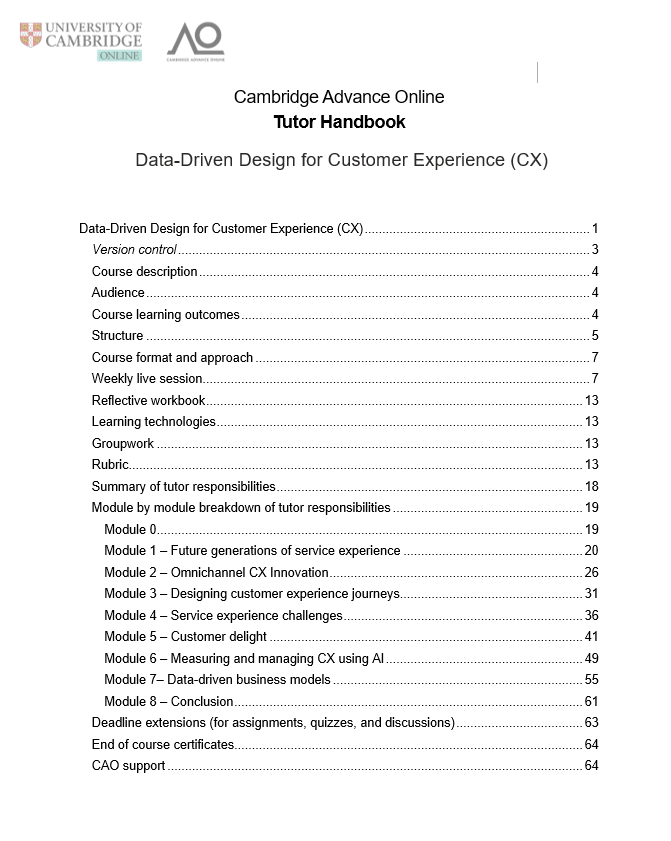
To create these documents, I work closely with academic course leads and our developers to capture all the necessary detail and clearly explain how to deploy these technologies, how to mark learners and how to troubleshoot if needed. These handbooks function as a roadmap for every module, offering step-by-step instructions. For example, tutors can find information on how to check quizzes, how to mark assignments, how to comment on Miro boards, how to post in Hypothesis exercises and more importantly how to run their live sessions on Zoom. These handbooks contain all the information they need to deploy and work with our Learning Technology Integrations.
In a way, these documents are a condensed dissemination of best practice for tutoring, monitoring and facilitating an online course. Oftentimes, I also am in conversation with the tutor groups, hearing more from their experience and working to adapt the documentation to further support them in their role.
These documents do not only contain technical how-to guidance. Instead, I design tutor guides with meticulous attention to both technical and pedagogic aspects. In the context of Miro, for instance, a guide not only covers the technical knowledge of using the platform but also suggests what a ‘good’ answer looks like, how responses should be graded and the key message that tutors should highlight. In doing this, I aim to not only give an overview of the platform but also equip the tutors with pedagogical approaches to enhance learner engagement and collaboration. Similarly, for Hypothesis, a guide does not only focus on what to post and how to annotate, but also tips on how to elicit learner-generated content, active reading, and critical thinking. These handbooks are also being dynamically updated alongside the course, considering student feedback and tutor notes from each course run.
Reflection
I have previously created trainer guides to support learning, but the tutor handbook experience which I shared in this section has been most notable to me. Through the handbook creation and maintenance, I gained valuable insights that have shaped my approach to supporting learning technology deployment.
1. Do not assume prior knowledge from ‘experts’
Previously, I used to see trainers, or tutors, as experts, who have all the relevant knowledge and technical knowledge. Through my recent experience of working with tutors, however, I recognised the difference in technological skills among different industries and people. After creating a few handbooks and hearing back from tutors who had comments or questions, I realised how critical guidance was for successful technology adoption.
For example, some tutors came to us with previous teaching experience and strong technical skills, while others were complete novices. The novices would have simple questions like ‘How can I upload my live session recording to Canvas,’ which to me was an obvious thing to do. Questions like that helped me see that assuming prior knowledge or overestimating familiarity with the technologies could hinder effective implementation. By acknowledging this and providing clear, concise instructions, tutors of all levels were more empowered to embrace the tools and, ultimately, our learners have a better experience.
This experience made me think about the Technological Pedagogical Content Knowledge (TPACK) model and how teachers often face barriers in their content delivery due to lack of technological expertise. I see my role as a learning designer to be a bridge between the subject matter expertise and educational technology. Recognising this, changes my perspective when faced with tutor questions. While others might see this as someone else’s responsibility, I am of the opinion that assuming prior knowledge on all areas from a tutor is a big ask – and, if there is anything I can do to help support them, I will.
2. One size never fits all
Furthermore, I recognised the significance of not imposing a one-size-fits-all approach. Instead of dictating solutions, I focused on offering a range of options to tutors. For example, some could use Miro for their live sessions, but if they did not feel comfortable integrating this with Zoom, then they could just use PowerPoint or any tool they felt familiar with. The guidance I choose to offer is: be yourself in the live sessions and select one of the recommended tools that makes you feel comfortable.
This not only fosters a sense of autonomy and ownership but also acknowledges the diverse teaching preferences that tutors bring to the table. This flexibility plays a pivotal role in boosting tutors’ confidence in using these technologies and results in more engaging live sessions for our learners. Here are some quotes from the learner feedback that showcase this:
I really enjoyed the live sessions, especially the one with the guest speakers.
Wonderful flow of sessions and interaction with us all. A very thoughtful and personalized approach – considering this huge number of people on the course, the tutors always remained accessible and supportive.
The live sessions were engaging and gave us additional tips for better communication. Simon’s wit always puts a smile on my face. You can really tell how much he cares about this course.
3. Act as a community, not merely as ‘colleagues’
I think the most important reflections have been listed above. But there is one more thing that I would like to mention and it is this: collating these handbooks is the start of forming a ‘teaching community’.
I equip tutors with a range of tools and pedagogical guidance, and this leads to improved interactions with learners. But what is more than that, creating these handbooks marks the start of a course team. The Academic Course Leads and I work closely to shape the best practice with the tutor needs in mind. When tutors are hired, the ACLs also work closely with them, sharing their vision, tips and expertise. Often, important points and thoughts on learning implementation often are brought back to me, and we work to refine the handbook guidance. To create a more streamlined deployment of technologies, and enhance the overall course experience I have proposed to my wider team that we should have regular catchup calls during the course run and a feedback consolidation call at the end of every course.
Reflection summary
My experience in supporting the deployment of learning technologies made me realise the importance of tailoring guidance, avoiding assumptions, and empowering people with choices. I also believe that to best support tutors, and ultimately our learners, it is imperative we organise regular team meetings.
Where would you like to go next?

Core area 1: Operational issues
(You are here)




 - IMID -